Rewire Your Brain. Start With Your Phone.
This is how I set up my phone to stay productive, and how you can do the same.
These are the real lock screens on my phone.
I’m not strong enough to do this on my own
What I want to do, I don’t do. And what I don’t want to do, I do.
I don’t really understand myself, for I want to do what is right, but I don’t do it. Instead, I do what I hate.Romans 7:15 · NLT
I know I’m not strong enough to stay productive on my own. So I put the things I need in place to make sure I am.
I don’t think I’m better than anyone. But when you know better, you do better.
What Paul was talking about
Paul wrote this in his letter to the church in Rome. In this part of the letter he’s talking about God’s law, and he says the law is good. Even so, he still struggles. The problem isn’t that he doesn’t know what’s right. The problem is that knowing and doing are two different things. He wants to do what’s right and doesn’t, and he doesn’t want to do what’s wrong but does it anyway.
Then Paul asks, “Oh, what a miserable person I am! Who will free me from this life that is dominated by sin and death?” (NLT 7:24) And he answers right away: “Thank God! The answer is in Jesus Christ our Lord.” He doesn’t pretend the struggle is over, though. In the same verse he says, “In my mind I really want to obey God’s law, but because of my sinful nature I am a slave to sin.” (7:25) The next chapter starts with “So now there is no condemnation for those who belong to Christ Jesus.” (8:1)
People have argued over whether Paul was talking about his life before Christ or the fight every believer still has. Either way, the point stays the same: knowing what’s right doesn’t mean you have the strength to do it.
Starting my day with God
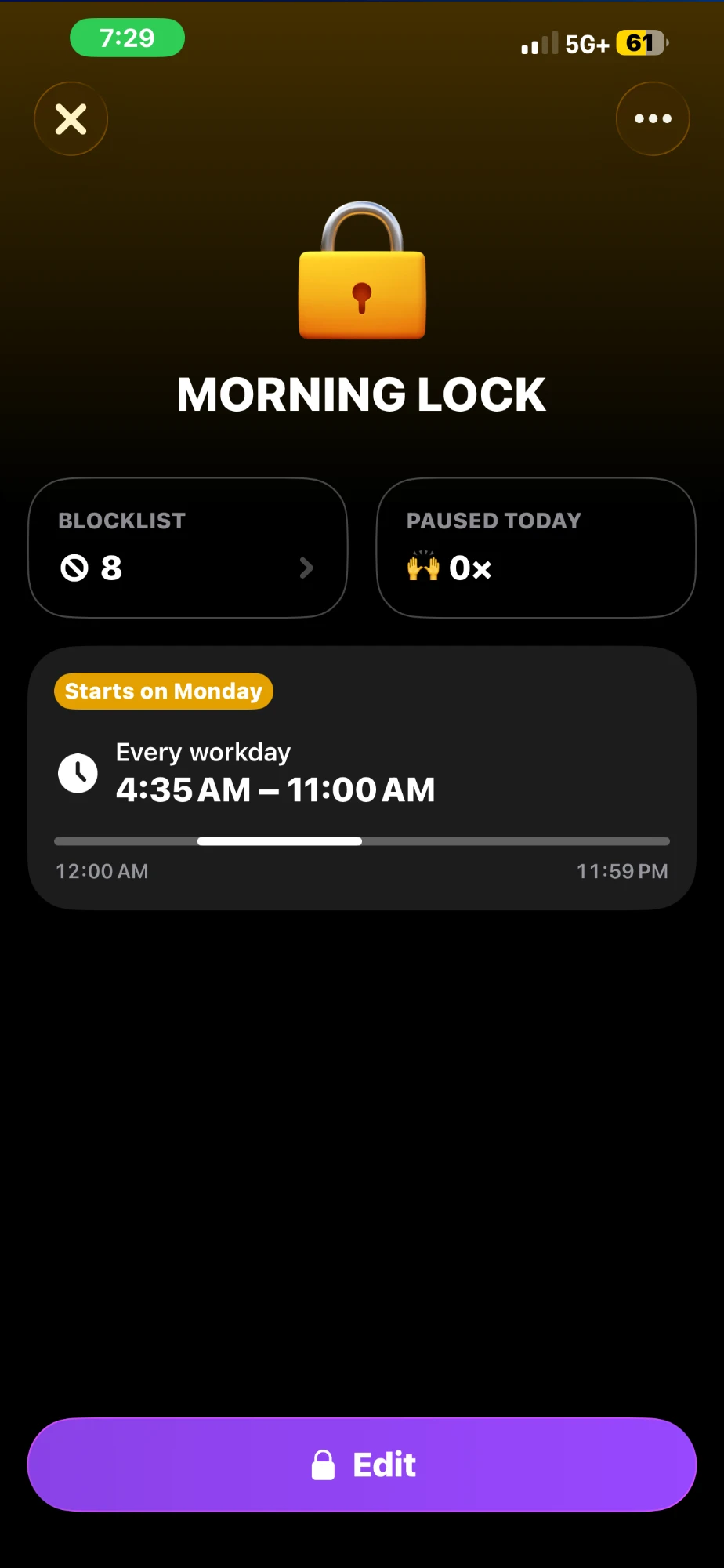
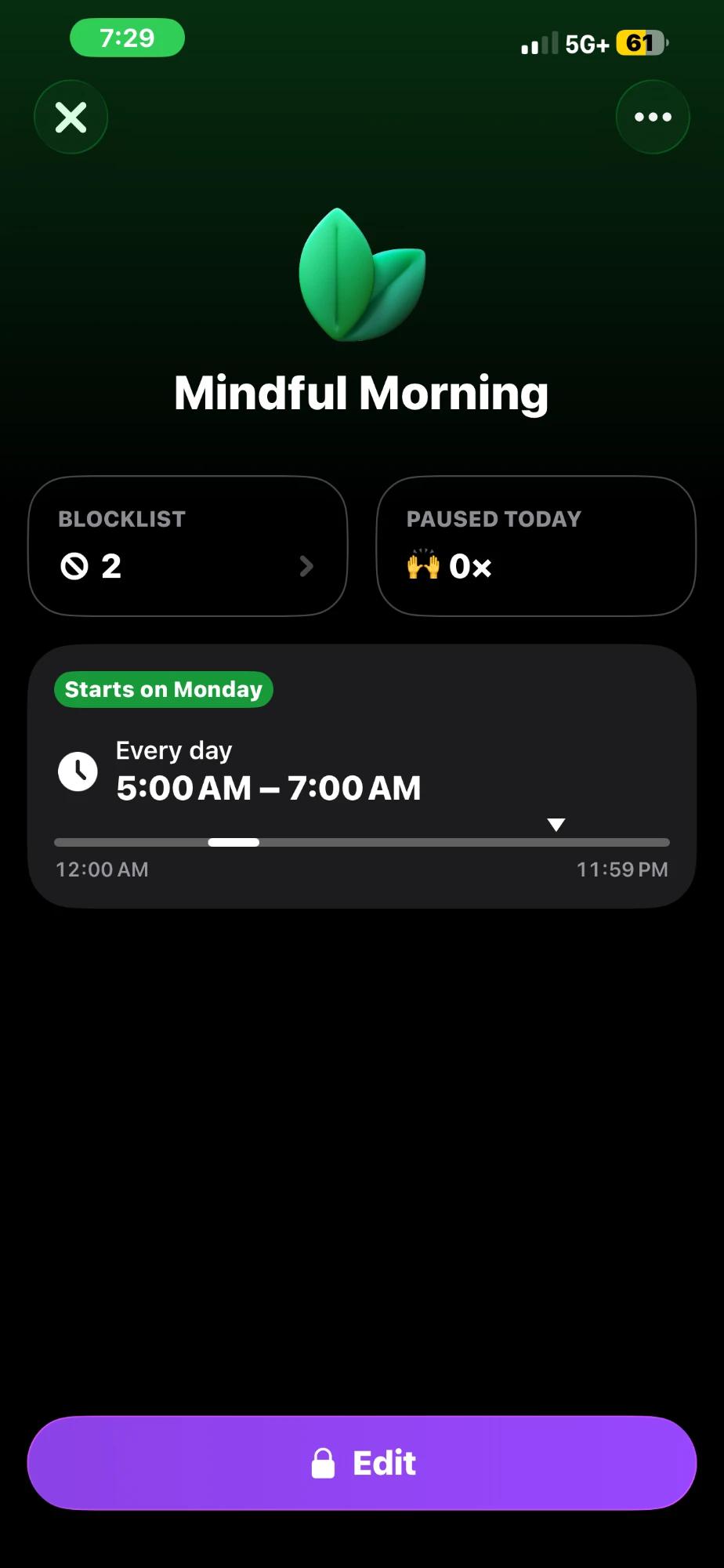
I block everything so I can read the Bible first thing when I wake up. I’m taking that time for God. I try to read 3 chapters and pray. And any other time during the day that I plan to read the Bible, I set that time aside.
How much time you give is up to you. It depends on your schedule and how much you’re willing to devote to God.
My eight locks
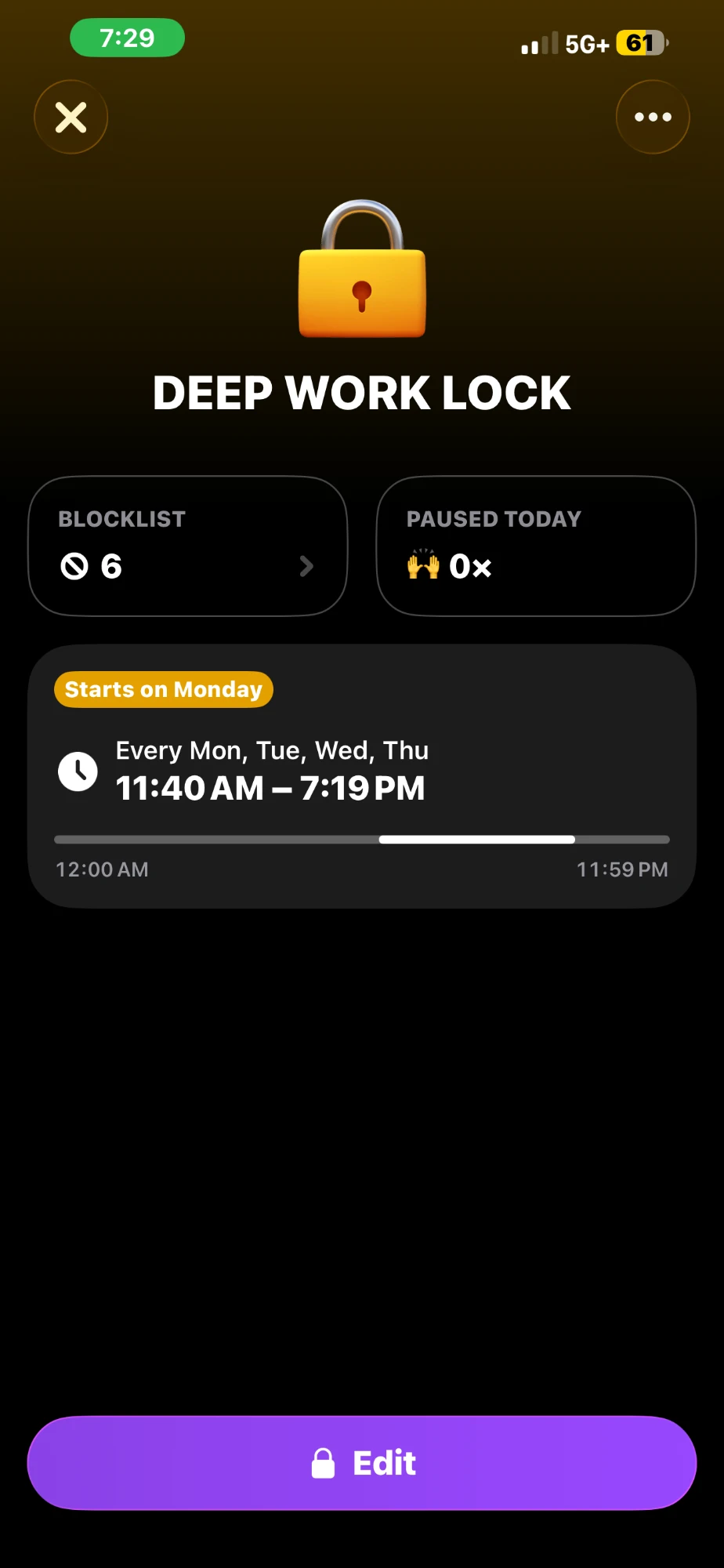
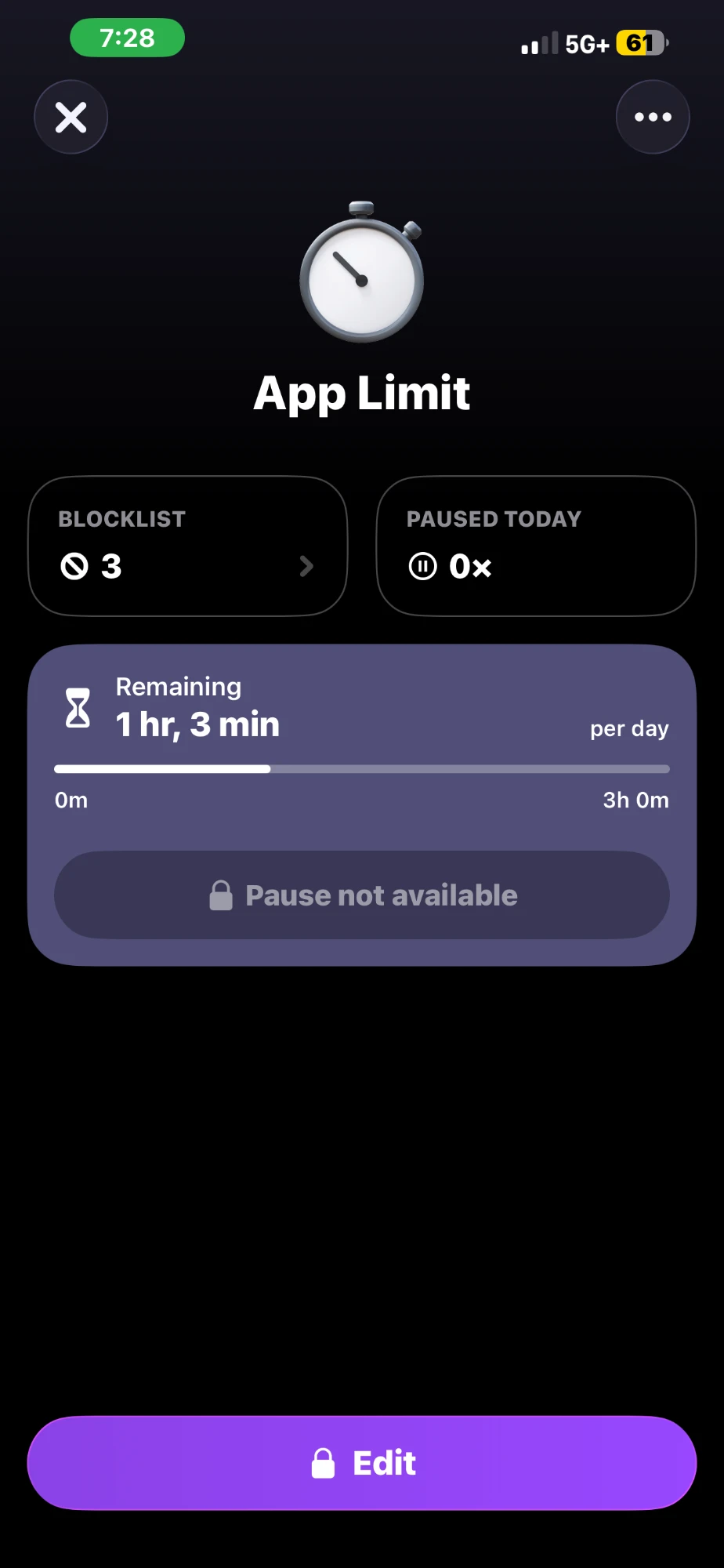
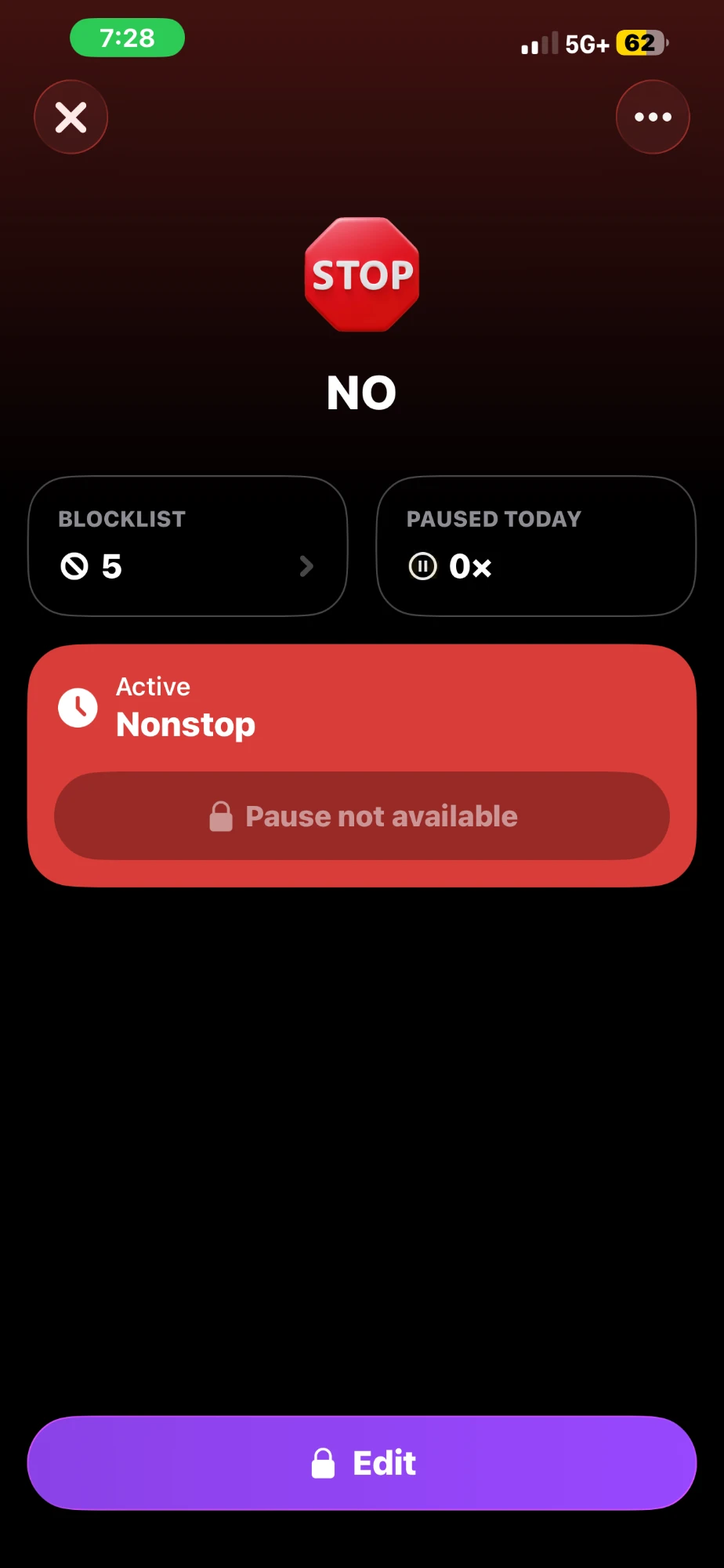
These are all eight locks on my phone, exactly how they show up. Morning Lock and Mindful Morning are above.
Work hours
Deep Work Lock blocks 6 apps Monday through Thursday, from 11:40 AM to 7:19 PM.
Nights
Sleep Lock runs every day from 9:40 PM to 4:35 AM. Lock In Twin blocks 2 apps and Night Lock blocks 4 apps, both from 8:00 to 10:59 PM and again after midnight.
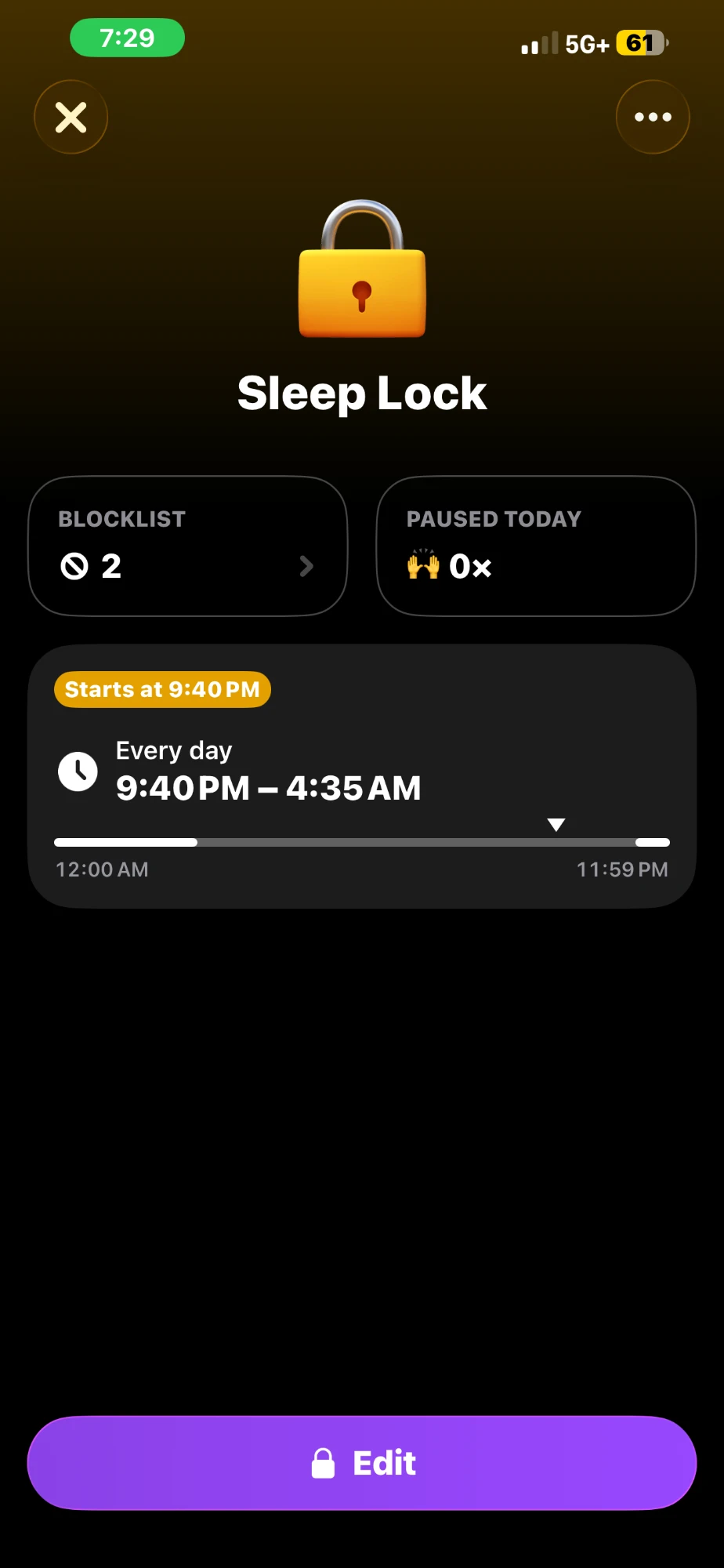
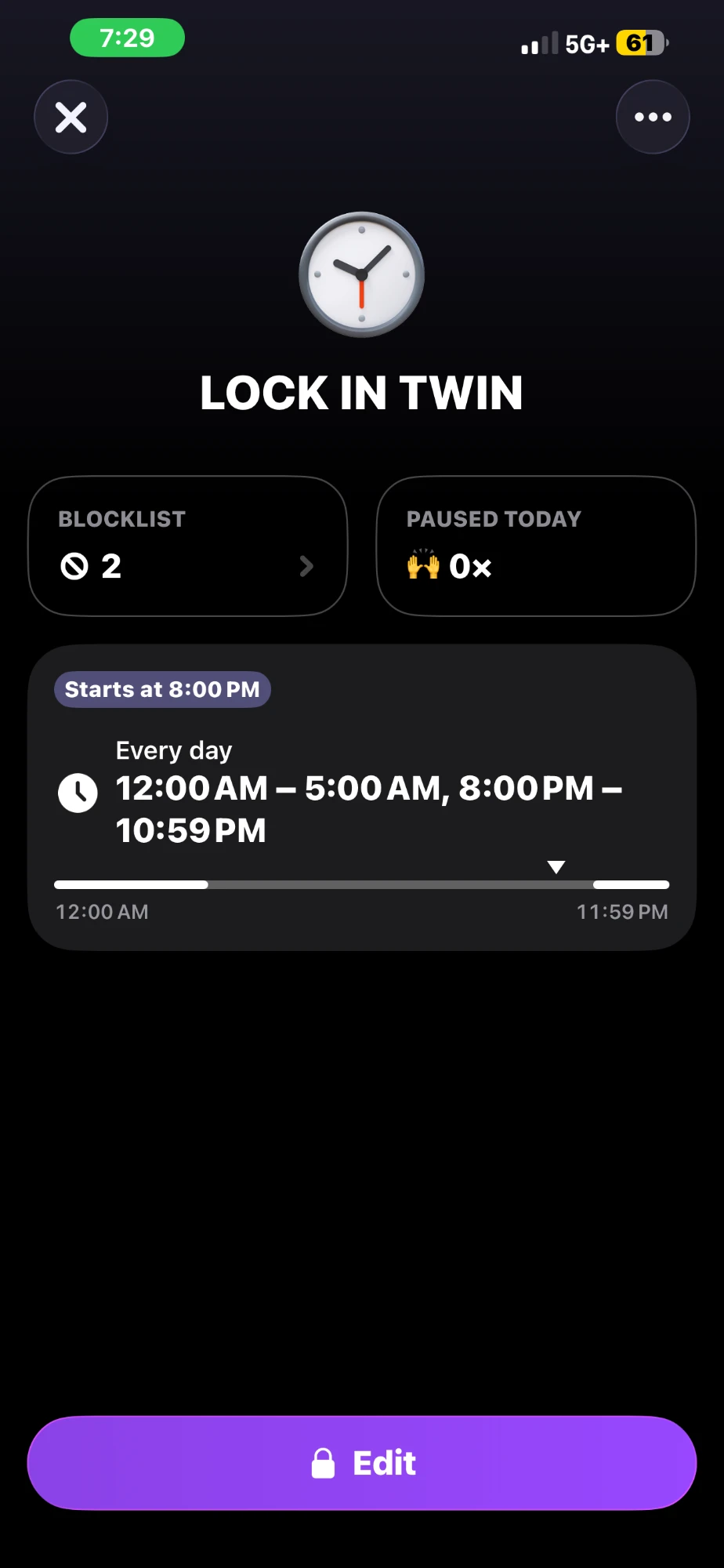
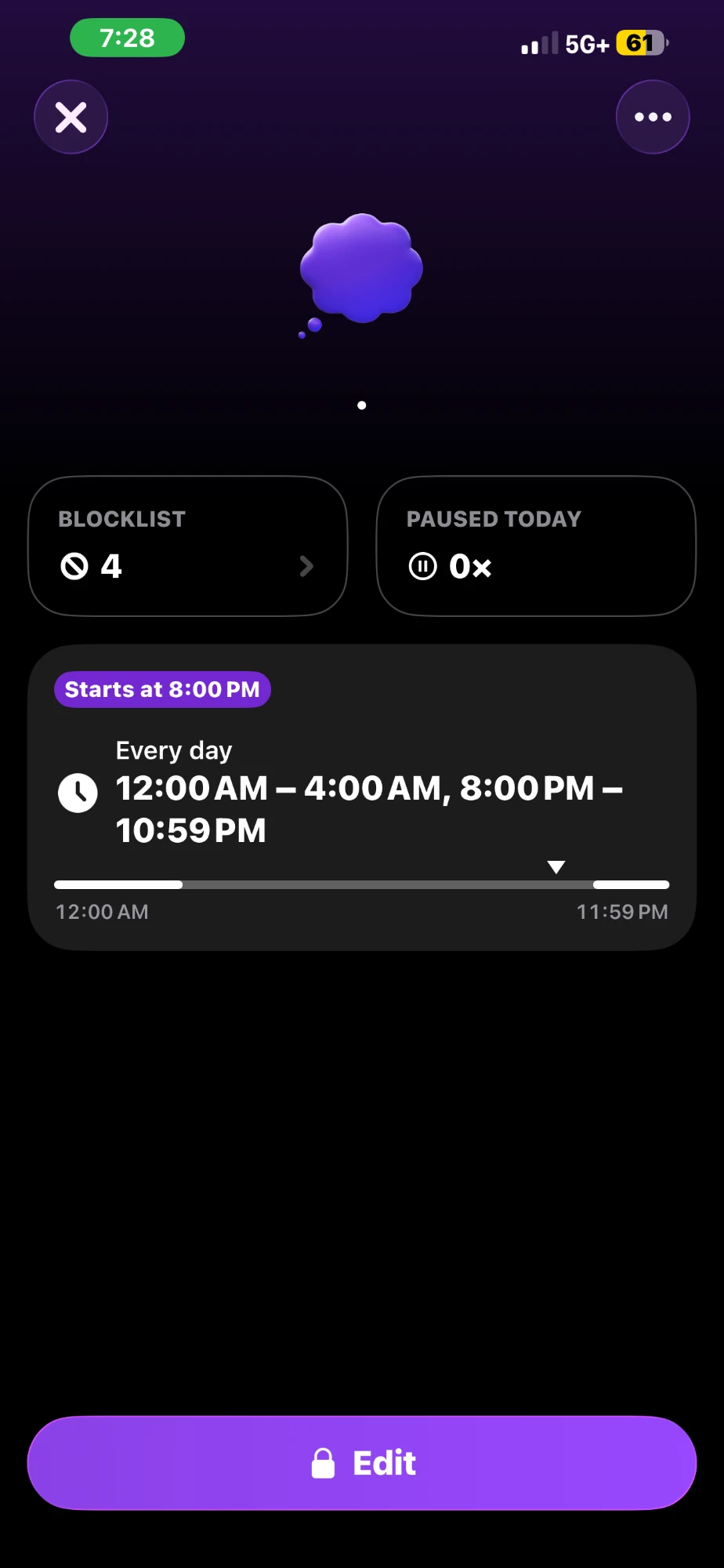
Swipe to see all three →
No pause
App Limit caps 3 apps at 3 hours a day. NO blocks 5 apps all the time. Both say Pause not available.
I added a daily time limit that I can’t turn off. I tried it, and my grades improved and so did my overall mental health.
Scrolling all day made me compare my life to everyone else’s. Instead of being a consumer, I wanted to start creating and building the life God planned for me before I was even born.
What a weekday looks like
How much social media is too much?
I looked into how much social media is actually healthy. Here’s what two sources say.
In a University of Pennsylvania study, 143 students cut Facebook, Instagram, and Snapchat down to 10 minutes each per day for three weeks. Compared to students who kept using them like normal, they felt less lonely and less depressed. The researchers said about 30 minutes a day may be enough to improve your well-being.
Hunt et al., 2018In 2023, the U.S. Surgeon General put out an advisory saying kids and teens who spend 3 or more hours a day on social media have double the risk of poor mental health, including symptoms of depression and anxiety.
U.S. Surgeon General, 2023Keep in mind that both of these focus on young people, like college students and teens. The Surgeon General’s number shows a link, but it doesn’t prove that social media causes the problem. The Penn researchers also said they can’t explain why it works. These numbers aren’t strict rules, but they show where the research points.
How to build your own plan
Here are the steps to build a plan of your own, in order.
- Decide what you’re protecting.What’s the one thing you keep failing to do? Bible time, work, school, sleep. Write it down first.
- List the apps that pull you away from it.Be honest with yourself. These are the apps that go on your blocklist.
- Pick your time windows.Morning, work hours, nights, sleep. Start with the window that protects the most important thing.
- Make one lock for each window and name it after what it’s for.For example, Deep Work Lock or Sleep Lock. The name should say what the lock is for.
- Turn off pause on the strict ones.If you can switch it off in a weak moment, you probably will. Take that option away.
- Put a daily limit on the apps you can’t fully block.Mine is App Limit, which is 3 hours a day, and I can’t turn it off.
- Turn on the content blocker.The app blocks inappropriate content, like the 18+ stuff.
- Check your numbers every week.Look at your Paused today count and adjust. Only add another lock when the last one is working.
My prayer is that everyone who reads this takes action to cut out the distractions in their life and starts taking the first steps toward becoming who God has called them to be.
Sources
- Hunt, M. G., Marx, R., Lipson, C., & Young, J. (2018). No More FOMO: Limiting Social Media Decreases Loneliness and Depression. Journal of Social and Clinical Psychology, 37(10), 751–768. doi.org/10.1521/jscp.2018.37.10.751
- U.S. Surgeon General (2023). Social Media and Youth Mental Health: The U.S. Surgeon General’s Advisory. hhs.gov
- Romans 7:15, 7:24–25, and 8:1. Read Romans 7 (NLT)
- Scripture quotations marked NLT are taken from the Holy Bible, New Living Translation, copyright © 1996, 2004, 2015 by Tyndale House Foundation. Used by permission of Tyndale House Publishers, Inc., Carol Stream, Illinois 60188. All rights reserved.